
Qind for the way you work
Whatever your work, you save more than you can find again. Qind keeps your articles, PDFs and notes in one library and answers questions from it, with the source of every answer.
Free plan, no time limit. No card needed.
What it looks like for people like you
Students
Find the answer in your own notes before the exam.
Lecture notes, readings and half-read articles end up in five different places. Save them to one library instead, then ask a question and get an answer with a link to the note it came from.
Qind for studentsIn your library
- Note Lecture 6 notes: hypothesis testing
- PDF Statistics reader, chapter 9
- PDF Week 6 slides
- Webpage A visual guide to p-values
What's the difference between a Type I and a Type II error?
A Type I error is rejecting a null hypothesis that is actually true: a false positive 1 . A Type II error is keeping one that is false: a false negative 2 . Your lecture notes add that a lower significance level makes Type I errors rarer and Type II errors more likely 1 .
Sources
- Lecture 6 notes: hypothesis testing Note
- Statistics reader, chapter 9 PDF
Researchers
Ask across your papers and see which one said what.
Stop digging through folders of PDFs. Save papers, notes and web sources to one library, then ask questions across all of it and see which paper each answer came from.
Qind for researchersIn your library
- PDF Sleep and memory consolidation: a review
- PDF Sleep duration in adolescents: a three-year cohort
- Note Lab meeting notes, 14 October
- Webpage Methods reading list
Which of my papers used a longitudinal design, and what did it find?
One paper in your library is longitudinal: it followed adolescents for three years and linked shorter sleep with lower recall scores 1 . The review mentions longitudinal work only in its limitations section 2 .
Sources
- Sleep duration in adolescents: a three-year cohort PDF
- Sleep and memory consolidation: a review PDF
Developers
Get back to the fix you already found once.
You bookmark Stack Overflow answers, save blog posts about architecture patterns, and write notes during debugging sessions — then can never find any of it. Qind turns your scattered dev knowledge into a searchable, queryable library.
Qind for developersIn your library
- Webpage Postgres connection pooling explained
- Webpage Stack Overflow: "too many clients already"
- Note Incident notes, 3 September
- Webpage PgBouncer docs: pool modes
How did we fix the "too many clients" Postgres error last time?
Your incident notes say the fix was putting PgBouncer in front of the database in transaction mode and lowering the app's pool size 1 . The PgBouncer page you saved explains why transaction mode suits many short connections 2 .
Sources
- Incident notes, 3 September Note
- PgBouncer docs: pool modes Webpage
Product Managers
Keep interviews, specs and competitor pages in one place.
You collect competitive intel, user research, market reports, and strategy articles across a dozen tools. When it is time to make a decision, you rely on memory instead of evidence. Qind makes your entire product knowledge base queryable.
Qind for product managersIn your library
- Note Interview notes: onboarding, five users
- Webpage Competitor onboarding teardown
- Document Spec: first-run setup
- Document Support tickets, September
What did users say about onboarding in the interviews?
Three of the five users got stuck connecting their first data source, and two said a sample project would have shown them the value sooner 1 . Your setup spec already plans a guided first step, which covers the first point 2 .
Sources
- Interview notes: onboarding, five users Note
- Spec: first-run setup Document
Examples use sample items written for this page. Every answer in Qind lists the saved items it used, so you can open the source and check.
Find your role
13 roles, each with what they save, what they ask and a worked example.
- Knowledge Workers Ask about anything you saved, then open the source.
- Researchers Ask across your papers and see which one said what.
- Students Find the answer in your own notes before the exam.
- Developers Get back to the fix you already found once.
- Writers Know which source said what before you cite it.
- Product Managers Keep interviews, specs and competitor pages in one place.
- Entrepreneurs & Founders Check what customers and investors said before you decide.
- Freelancers Every client's briefs and notes, findable in one place.
- Marketers A swipe file you can ask questions.
- Designers Find the reference, the feedback and the screenshot again.
- Academics Papers, grants and lecture notes in one library.
- Journalists Find the document behind the quote on deadline.
- Consultants Start each engagement from what the last one taught you.
- Don’t see your role? See what Qind does, feature by feature.
One library, whatever you keep in it
A student's readings and a developer's docs go through the same three steps. These are real screens from the Qind web app.
-
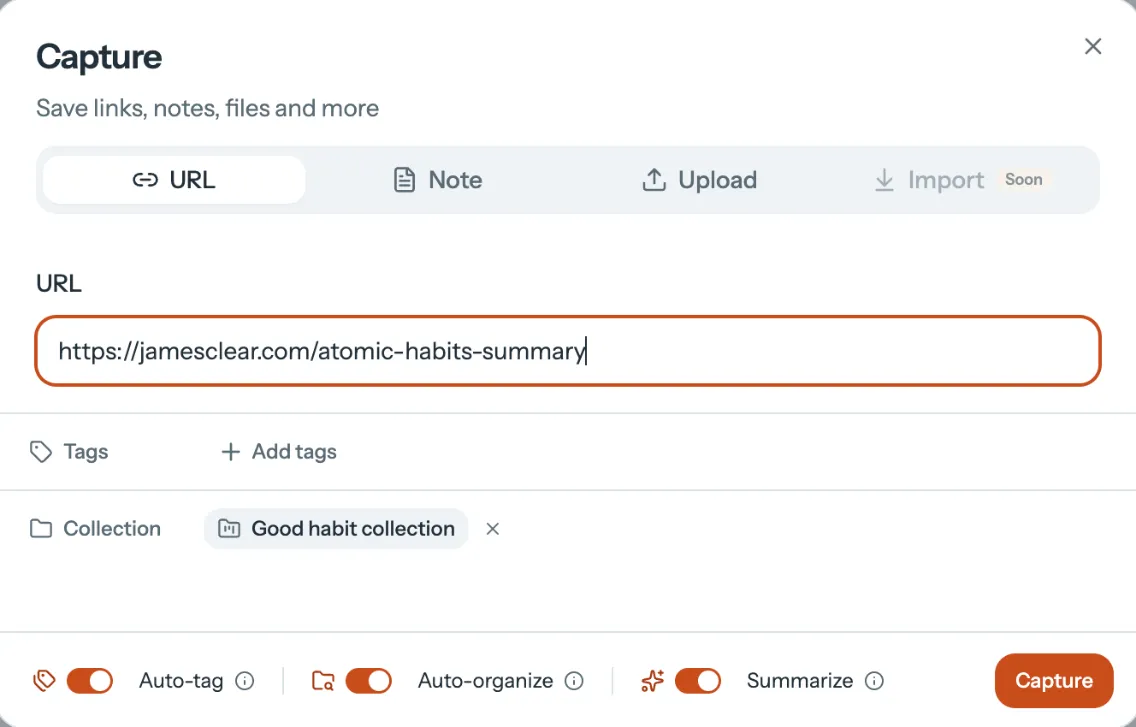
You save it
A link, a PDF, a note, a recording. Clip pages in your browser or upload files.
-
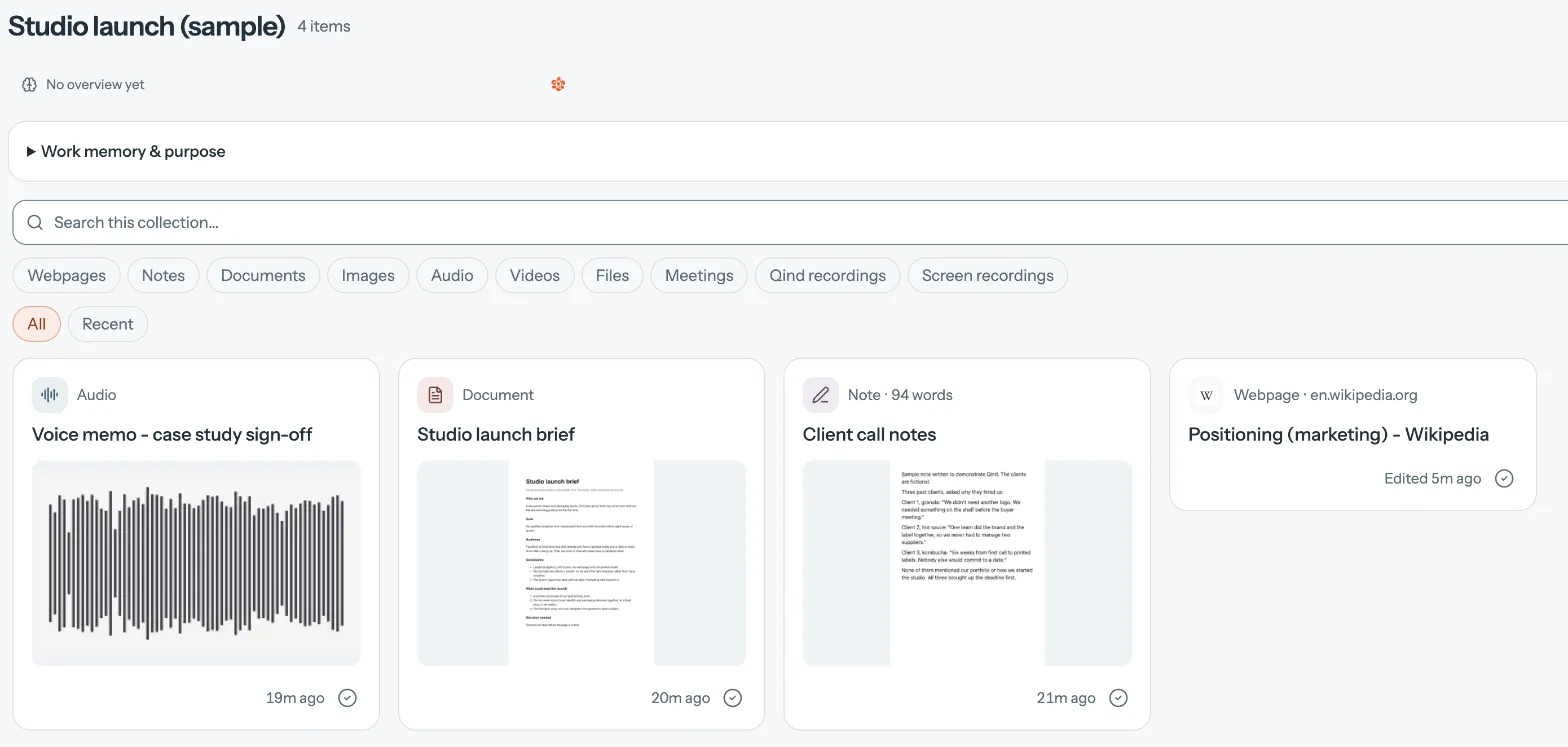
Qind keeps it in order
Every item gets a summary and sits in a collection you can search by meaning. On Basic and Pro, new saves are tagged and filed for you.
-
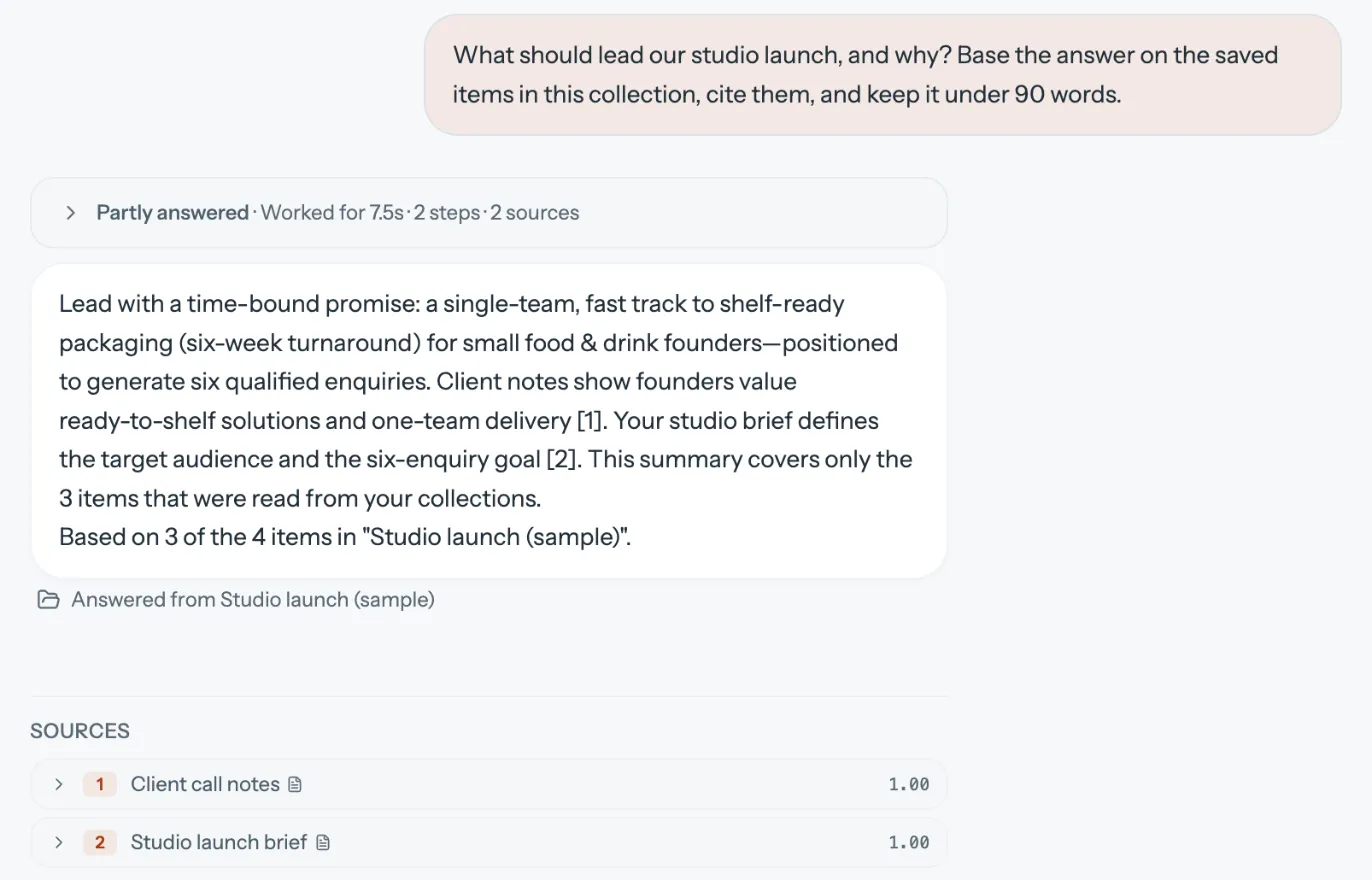
You ask, and check the source
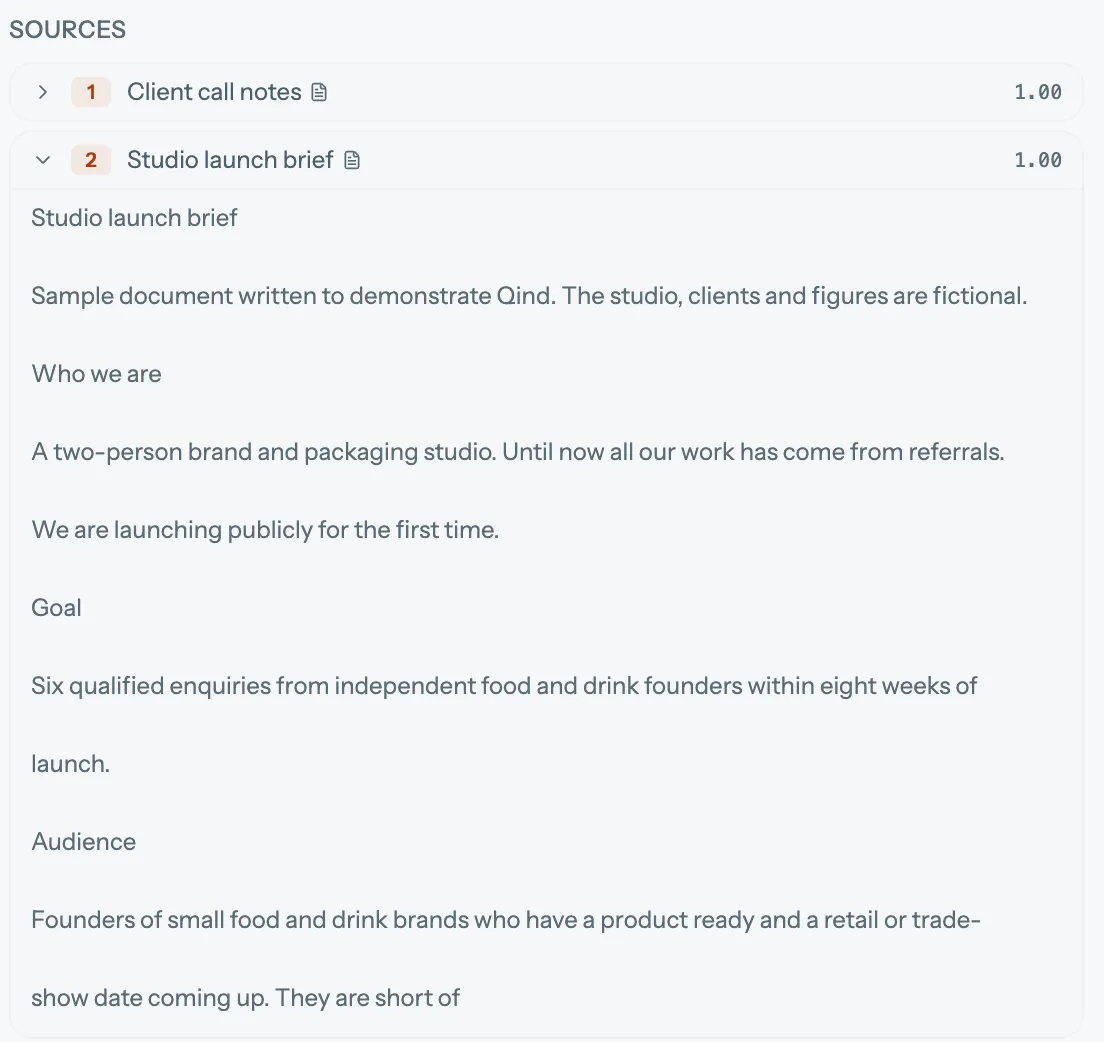
Answers list the items they used. Open one to read the original passage.
You save. Qind keeps track.
Saving is the easy part
Bookmarks, downloads and screenshots cost nothing to make. Most people already have thousands.
Organizing is where it stalls
Folders and tags work until there are too many of them. Qind summarizes everything you add, and on paid plans files it for you.
Using it later is the point
Ask in your own words and get an answer from your library, with the items it came from listed so you can check.
Start with the next thing you save.
Make a free account, save a few things you are working with this week, and ask about them.