Meta Description: Running a one-person business? Discover 6 practical AI use cases to automate information capture, manage tasks, and boost your output without burning out.
Running a business as a solopreneur means wearing every hat at once: CEO, Product Manager, Researcher, and Administrator.
The biggest challenge for a one-person business isn't a lack of ideas; it’s the burden of administrative work. When you spend hours rereading old notes, searching for lost connections, or manually transferring meeting notes into task lists, you run out of energy before you even start the actual work.
According to productivity research, knowledge workers spend up to 20% of their workweek just searching for internal information. For a solopreneur, that’s an entire day lost every single week.
To scale your output without hiring a full team, you don't need dozens of fragmented apps. You need an automated system that handles knowledge management for you.
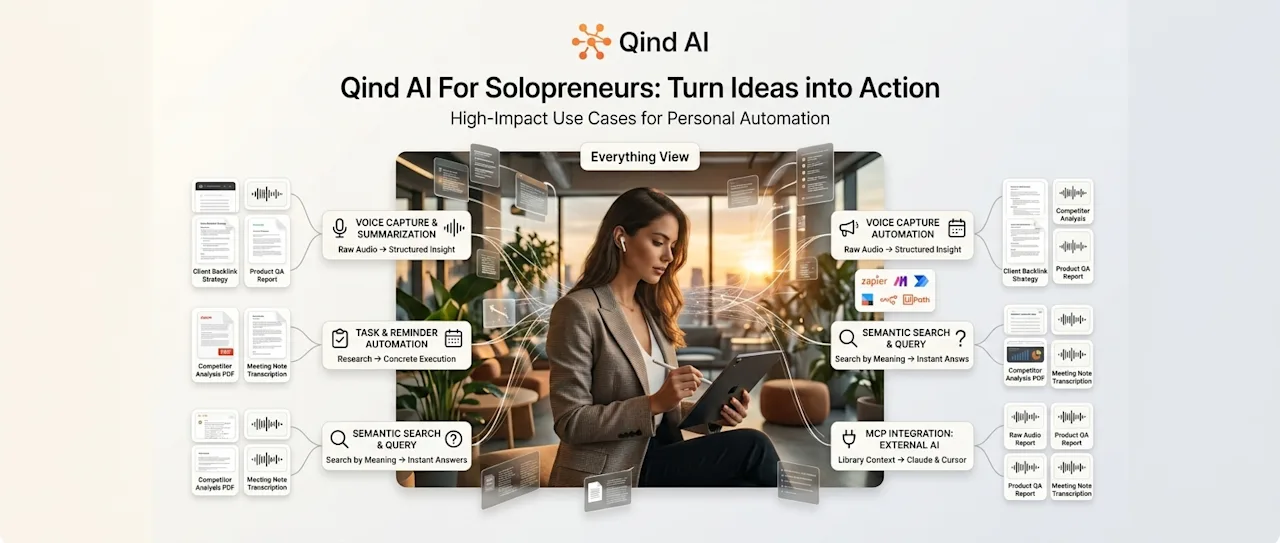
Here are 6 high-impact AI use cases showing how solopreneurs use Qind AI to automate mental load and focus on high-value execution.
1. Capturing On-the-Go Ideas via Voice (Without Manual Transcribing)
The Problem: Your best business insights often happen away from your desk—while walking, driving, or exercising. But typing long notes on a phone keyboard is slow, and raw audio memos usually die in a recording app.
The Use Case: Solopreneurs use Qind to record raw, unstructured voice memos on the go. Qind automatically transcribes the audio, extracts key summaries, and places it directly into their Everything View.
Instead of typing, you speak your ideas, and the AI converts them into structured knowledge instantly.
2. Bridging the Gap Between Research and Action (Task Automation)
The Problem: You read an insightful article or research document, save it, and promise yourself to "do something with this later." Days pass, and the saved link sits in a digital graveyard because there is no clear action item attached to it.
The Use Case: With Qind's Tasks & Reminders module, solopreneurs highlight actionable takeaways directly inside saved web clips, PDFs, or summaries and convert them into concrete tasks with a single click.
You can assign smart reminders to those tasks, categorizing them into Today, Upcoming, or specific project Collections (like Client Work, Marketing, or Product QA) so no idea gets left behind.
3. Eliminating "Lost File Syndrome" with Semantic Search
The Problem: Solopreneurs constantly re-create work because they can't remember where they saved a previous client brief, code snippet, or strategy note from three months ago.
The Use Case: Traditional file systems require exact folder paths and file names. Qind uses Semantic Search, allowing you to search by meaning rather than exact keywords.
Searching for "that backlink strategy I noted down last month" immediately surfaces the exact document, audio clip, or task—saving hours of digging through folders.
4. Connecting Personal Knowledge Directly to AI Tools (MCP Integration)
The Problem: Copy-pasting context, guidelines, and previous research back and forth into tools like Claude or Cursor wastes precious time during deep work sessions.
The Use Case: Through Model Context Protocol (MCP) support, Qind connects your curated personal knowledge library directly to external AI clients.
When drafting sales copy or writing code, your AI tools draw context straight from your Qind repository without requiring you to re-explain your brand tone or project background.
5. Centralizing Client Research into Dedicated Collections
The Problem: Managing multiple clients or product lines leads to tab overload and scattered information across browser bookmarks, local downloads, and messy notes.
The Use Case: Solopreneurs use Qind’s One-Click Web Clipper to save competitor research, client feedback, and market trends directly into organized Collections.
You can close your 50 open browser tabs safely, knowing every source is indexed, contextually linked, and ready for fast retrieval.
6. Keeping Future Action Items Tethered to Original Context
The Problem: You look at a task on your to-do list like "Follow up on pricing update" and spend 10 minutes trying to remember why you created the task in the first place.
The Use Case: Every task created within Qind maintains a persistent link back to its original source material—whether it originated from a recorded client meeting, a PDF, or a web snippet.
Your future self always has immediate access to the full context behind every item on your agenda.
Scale Your Business, Not Your Workload
Scaling a solopreneur business doesn't require working 80-hour weeks. It requires building an environment where capture is zero-friction, context is automatically retained, and information turns into action without administrative drag.
Stop playing archivist for your own business. Let Qind structure your digital noise so you can focus on building.