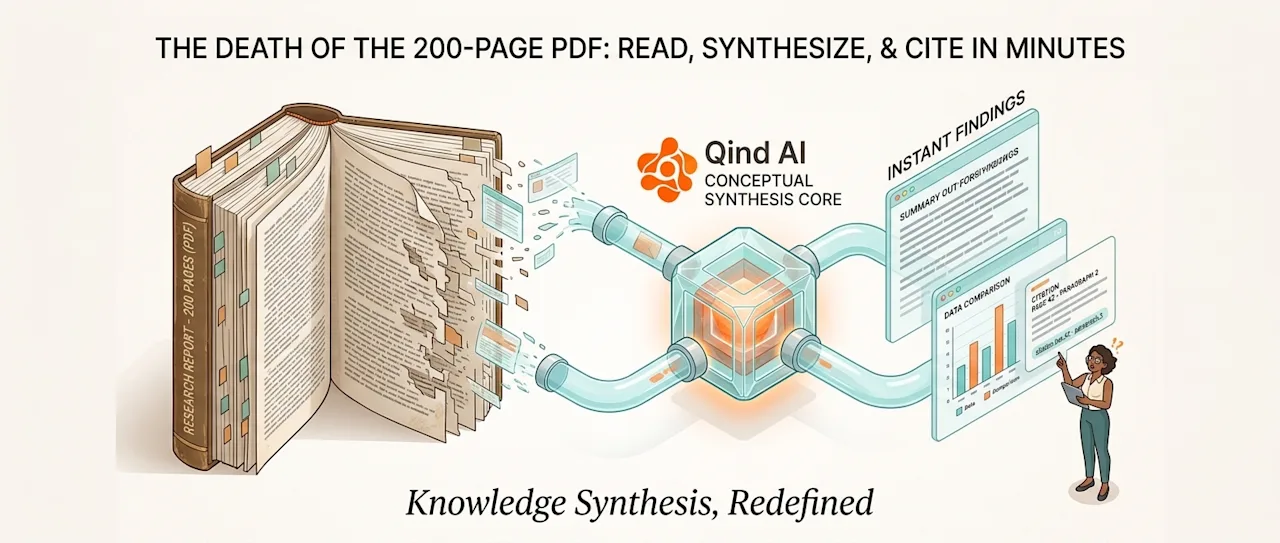
If your job requires reading whitepapers, academic studies, or 200-page market research reports, you know the drill:
Open a massive PDF file.
Scroll through endless pages of introductory text.
Use
Ctrl+F(orCmd+F) to search for a specific term, hoping you hit the exact right keyword.Highlight key sentences, copy-paste them into a separate document, and manually log the page number so you don't lose the source.
By the time you finish analyzing three reports, your desktop is a mess, your brain is exhausted, and you’ve spent 80% of your time formatting and locating data rather than actually understanding it.
In 2026, the traditional way of consuming long-form research is dead. Here is how modern researchers, analysts, and knowledge workers are replacing brute-force reading with intelligent synthesis.
The Fundamental Flaw of Traditional Search
The humble Ctrl+F function hasn't evolved in decades. It relies entirely on exact word matching.
If a 200-page report discusses "supply chain disruptions in Eastern Europe," but you press Ctrl+F and search for "logistics bottlenecks in EU," standard keyword search will return zero results.
This creates a dangerous blind spot: You miss critical insights simply because you used a synonym.
Shift from Keyword Matching to Conceptual Search
Modern AI retrieval systems don't care about exact words; they understand concepts and relationships.
When you offload heavy PDFs, research papers, or industry whitepapers into an AI-powered knowledge repository like Qind AI, the document isn't just stored as flat text. The system parses the context, links related themes across different pages, and builds an index based on meaning.
Instead of searching for words, you ask questions in natural language:
"What are the primary factors driving price inflation in raw materials according to the Q2 report?"
The AI scans all 200 pages in milliseconds, synthesizes the answer across multiple sections, and presents a clear, actionable summary.
Why Citation Accuracy is Non-Negotiable
For researchers, journalists, and strategic decision-makers, a simple AI summary isn't enough. In professional environments, hallucinations are fatal. You cannot cite a statistic in an executive presentation or academic paper unless you can verify its original source.
This is where specialized research tools differ from general-purpose chatbots:
Traceable Intelligence: Every claim, metric, or synthesis generated by a context-aware system points back to the exact page, paragraph, or document it came from.
Zero-Hallucination Retrieval: Instead of generating plausible-sounding text from the internet, the AI acts exclusively on the specific documents you uploaded.
A 3-Step Framework for Instant Research Synthesis
Upload Without Pre-Sorting: Don't waste time creating complex folder hierarchies for different research topics. Drop your PDFs, whitepapers, and web clippings directly into your intelligent repository.
Query for Synthesis, Not Summaries: Don't just ask "Summarize this document." Ask relational questions: "How does the methodology in Report A compare to the findings in Report B?"
Verify via Direct Citations: Click through the embedded citation links to jump directly to the source paragraph in your document to double-check numbers and context before citing them.
Focus on Insights, Not Reading Speed
The goal of research isn't to read more pages—it's to extract better insights faster. By delegating the heavy lifting of document navigation and keyword matching to AI, you free your mind to do what human intellect does best: critical thinking, strategy, and decision-making.
Stop scrolling through 200-page PDFs. Start asking them questions.