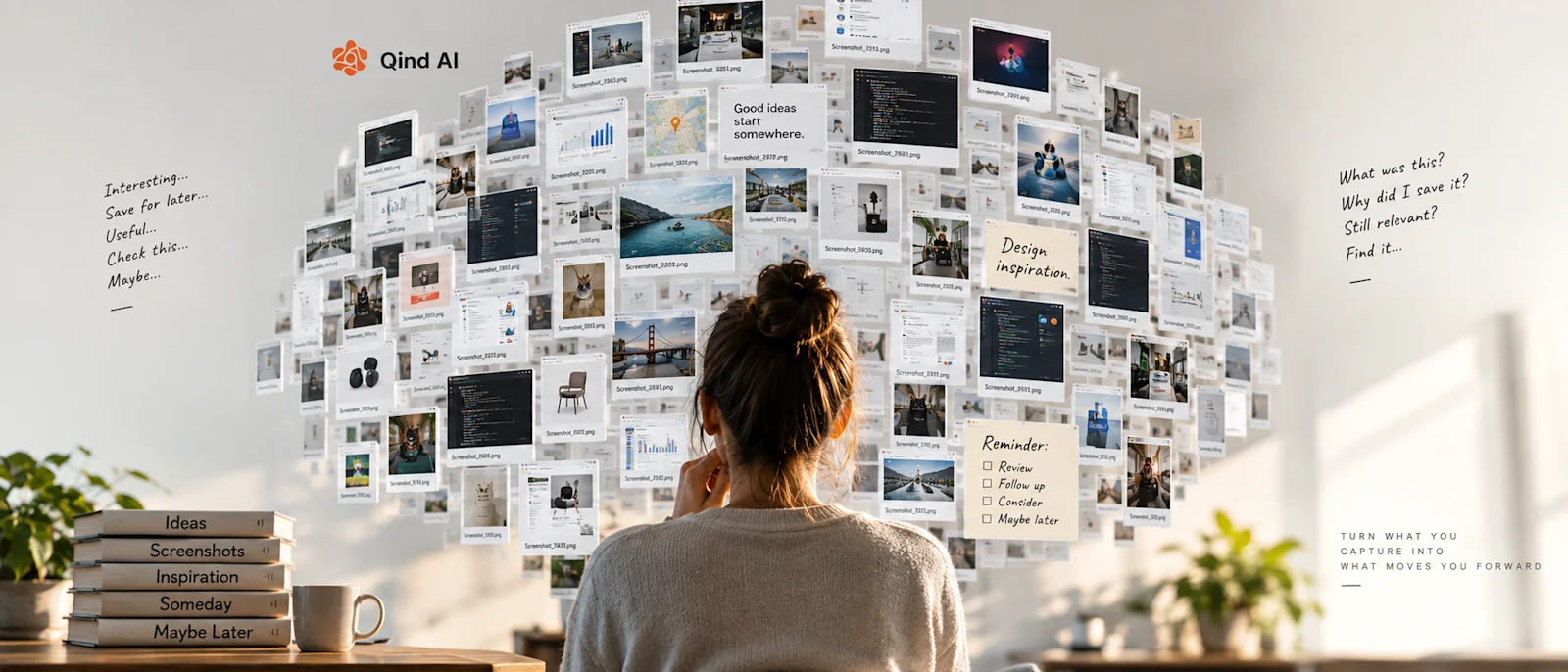
I have a folder on my computer that I don't trust. It's called Screenshots. Inside it are hundreds of images that, at some point in my life, were apparently important enough to save: a graph, an error message, a product I wanted to check later, a paragraph from an article, a UI I liked, a conversation I wanted to remember, a hotel, a piece of code, or a strange setting buried somewhere in an application. It was something that made perfect sense on a random Tuesday at 11:47 PM. Today? Screenshot 2026-04-17 234712.png—no idea. But apparently past-me thought this was important. And judging by the size of my Screenshots folder, past-me thought a lot of things were important.
Screenshots Are a Strange Form of Memory
Think about what happens when you take a screenshot. You see something useful, you don't want to lose it, but you also don't want to deal with it right now. So: click. Problem solved—or at least that's what it feels like. There's no folder structure to think about, no title to write, no description, and no decision about where the information belongs. You don't even have to understand exactly why you'll need it; you simply capture it. That's what makes screenshots so useful, and also what makes them such a terrible long-term memory system. Because the screenshot preserves what you saw—it doesn't necessarily preserve why you cared.
Every Screenshot Is a Message to Your Future Self
I think screenshots make more sense if we stop thinking of them as images. They're more like tiny promises. When I take one, I'm essentially telling future-me: "This looks important. I don't have time to deal with it now. You'll understand later."
That's a remarkably optimistic arrangement, because future-me receives almost no instructions, no explanation, and no context—sometimes not even a recognizable filename. Just Screenshot_8472.png, and a silent "Good luck." This is where screenshots reveal something interesting about how we manage information: we are incredibly good at capturing, but we are much worse at returning.
The “Save Now, Understand Later” Economy
Screenshots aren't the only example. Modern software has perfected the art of helping us postpone decisions: Save, Bookmark, Favorite, Like, Watch Later, Read Later, Add to List. Every button gives us the same little feeling: "Good. I won't lose this." But that's not necessarily true. The information may not be deleted, but that doesn't mean it remains useful. There's a fundamental difference between being stored and being retrievable.
An article buried among 900 bookmarks still exists. A video sitting in a Watch Later list still exists. A screenshot somewhere in a folder still exists. But if you can't find it at the moment it becomes relevant again, its practical value is close to zero. We solved digital storage a long time ago; we haven't completely solved digital memory.
Why Screenshots Feel So Good
There is another reason screenshots multiply so quickly: taking one creates a tiny sense of completion. You found something useful, you saved it, done. Except nothing has actually been completed. You haven't read the research, bought the product, fixed the error, tested the idea, or incorporated the information into anything. You've simply moved it from "Something I might forget" to "Something I can forget safely." That's incredibly convenient, and slightly dangerous—because collecting information can start to feel like using information, even though they're not the same thing.
Our Screenshot Folders Are Full of Unfinished Intentions
Open an old screenshot folder and scroll. Don't search, just scroll. Something strange happens. You'll probably recognize some images immediately ("Oh, I remember this"), while others will take a few seconds. And then you'll find screenshots that are completely mysterious. Why did I save this? Was I researching something? Was this supposed to become a task? Did I want to send it to someone? Was this evidence of a bug, a design reference, or a price comparison? Was this important, or did it just feel important for eight seconds? The pixels survived; the intention didn't. That's the real screenshot problem.
A Screenshot Without Context Ages Badly
Imagine you screenshot this sentence from an article: "Companies are rapidly changing how they manage internal knowledge." Six months later, you find the image. Okay, why did you save it? Were you writing something about knowledge management, researching competitors, preparing a presentation, collecting statistics, looking for a product idea, or trying to remember the website? The image itself can't tell you.
Context has a half-life. At the moment you capture something, the context feels obvious because it's already inside your head. You know what you were researching, what happened five minutes earlier, and why that paragraph caught your attention. So adding an explanation feels unnecessary. Future-you doesn't have any of that, which is why information that felt obvious when saved can feel meaningless months later.
Filenames Were Never Going to Save Us
The traditional solution to this problem is organization: rename your screenshots, create folders, use categories, sort them by project, and delete unnecessary ones every week. Technically, that's excellent advice. I am also absolutely not going to do all of that, and I suspect I'm not alone.
The problem with many organizational systems is that they require effort at exactly the moment you're trying to avoid effort. You took the screenshot because capturing it was fast. If saving it properly requires renaming, choosing a folder, adding a description, classifying, and tagging, the friction returns—and eventually the system collapses. Not because you're incapable of organization, but because the amount of information we encounter every day has outgrown systems that depend on us manually organizing every piece of it.
What If the Screenshot Could Explain Itself?
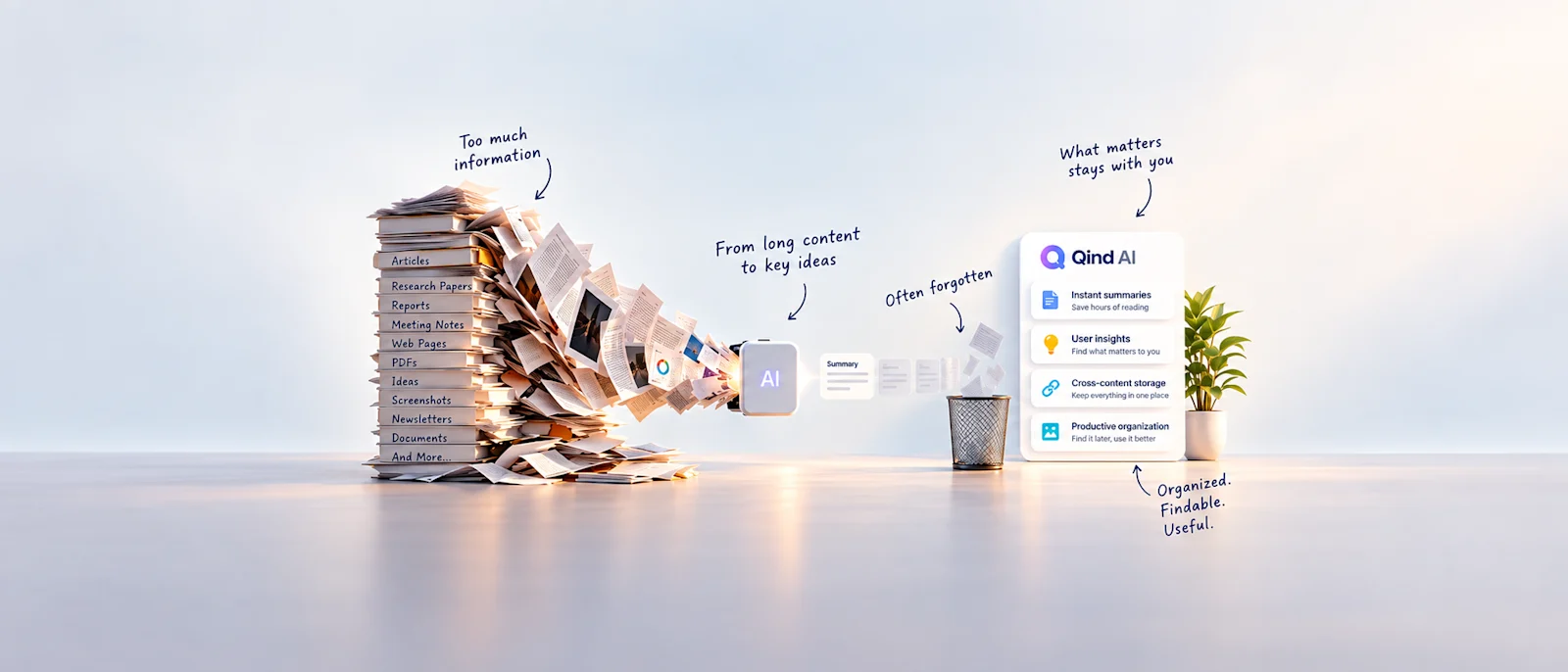
This is where AI changes the problem in a much more interesting way than simply generating images or summarizing documents. A machine can look at an image and begin extracting meaning from it. Instead of seeing Screenshot_8472.png, a knowledge system can potentially understand that the image contains a software error, a research chart, a product page, a piece of text, a UI pattern, or information related to a particular topic. That changes what "saving" can mean. The goal is no longer just keeping these pixels somewhere; it becomes preserving enough meaning that you can find it again. That's a fundamentally better objective.
This Is Where Qind Fits In
This is one of the reasons I find the idea behind Qind interesting. A screenshot doesn't have to remain an anonymous image buried in a folder. Images can become part of the same knowledge space as articles, PDFs, notes, audio, files, and other things you've collected. AI can help understand and organize that content, and semantic search changes how you return to it.
Instead of remembering Screenshot 2026-04-17 234712.png, you should be able to think more naturally: "What did I save about AI productivity?", "Find the design references I collected," or "What did I save related to that error?" That's much closer to the way we actually remember. We don't remember filenames; we remember fragments of meaning.
But AI Can't Recover Context You Never Captured
There's an important limitation here. AI can understand what's visible in an image, identify concepts, and make information easier to search. But there's one thing it cannot reliably reconstruct: the private reason inside your head when you pressed the screenshot button.
Maybe you screenshot a beautiful website because you liked the typography. AI might identify the website, understand the layout, and recognize that it's a design reference. But perhaps what mattered to you was specifically: "I want to use this navigation pattern for the onboarding project." That's different.
This is why a tiny bit of human context can be incredibly valuable. Not a paragraph—sometimes five words are enough: "Navigation idea for onboarding." Now the screenshot has something it didn't have before: intent. And that combination is interesting—AI handles the expensive organization, while you preserve the meaning only you know.
Maybe We Don't Need Better Folders
For decades, digital organization copied physical organization: files, folders, directories, archives. We put things inside containers because that's how filing cabinets worked. But human memory doesn't really work like that. I rarely think: "The thing I need is inside Research → AI → Articles → Productivity → 2026." I think: "I read something a few months ago about how AI changes attention." That's not a location; that's a concept.
AI makes it possible for our digital knowledge systems to move closer to that model. Instead of asking "Where did I put it?", we can ask "What was it about?" That's a surprisingly large change.
Your Camera Roll Is Probably a Knowledge Base Already
We normally think of a knowledge base as something formal: documents, notes, research, or a carefully maintained workspace. But look at your screenshots. There may already be a knowledge base hiding inside them: design inspiration, ideas, products, quotes, research, places, recipes, conversations, technical problems, things you wanted to remember, do, or understand.
The problem isn't that the knowledge isn't there; the problem is that almost none of it was captured in a form designed for retrieval. It's a knowledge base without an index. And increasingly, AI can become that index.
Saving More Isn't the Goal
This is where I think many productivity systems go wrong. They optimize capture: faster saving, more integrations, more storage, and more ways to collect things. But I don't need help accumulating more information—the internet is already exceptionally good at giving me more things to save.
What I need is a better relationship with the things I've already decided were worth keeping. That means the success metric shouldn't be "How much did I save?"—it should be "Could I use it again when it mattered?" That's a very different philosophy of digital knowledge.
The Screenshot Problem Isn't Really About Screenshots
It's about something much bigger. We live in an environment where capturing information is nearly effortless, while understanding, organizing, remembering, and retrieving that information still requires work. So we accumulate: bookmarks, notes, PDFs, videos, voice recordings, screenshots—thousands of tiny artifacts representing moments when we thought, "This might matter later."
And maybe that's what our digital archives really are: not collections of files, but collections of unfinished intentions. Every screenshot quietly says, "This mattered to me once." The problem is that we rarely preserve why. The future of digital memory shouldn't be about helping us save even more screenshots; it should be about making sure the things we save don't lose their meaning.