Every semester begins with good intentions. You create organized folders, download course syllabus PDFs, save links for research assignments, and bookmark useful YouTube tutorial videos.
By the time midterm or final exam week arrives, that orderly system has turned into complete academic chaos.
You remember reading about an important topic—but was it in a Chrome tab, a saved PDF in your Downloads folder, a quick note on your phone, or an audio recording from a lecture?
This frantic search isn't just frustrating—it’s a major productivity sink known as information fragmentation.
The Hidden Cost of Academic Clutter
When working on a research paper or preparing for a challenging exam, the biggest obstacle to entering a "state of flow" is not the difficulty of the subject matter. The real hurdle is the effort required to gather the necessary materials before even beginning to write or review.
Research on cognitive load shows that constantly switching between different tools and trying to remember where you saved information drains your mental energy. By the time you finally gather all your resources, you are already exhausted.
To build an efficient study workflow, you need to solve three core problems:
Centralized Capture: Bringing all mediums (text, voice, links, media) into one place.
Instant Retrieval: Eliminating time spent searching through nested folders.
Context Retention: Understanding why you saved a piece of information alongside the original context.
3 Habits to Upgrade Your Study Workflow
1. Ditch Deep Folder Structures
Creating nested folders (e.g., Term 1 > Psychology > Module 2 > Readings) may feel organized at first, but it makes accessing information difficult. Instead, take advantage of unified search and tags.
2. Capture Content in Real-Time
Whether you are listening to a lecture or reading an online article, do not rely on your memory to revisit the content later. Instantly gather voice notes, web clippings, and raw thoughts into a single inbox.
3. Maintain a Single Source of Truth
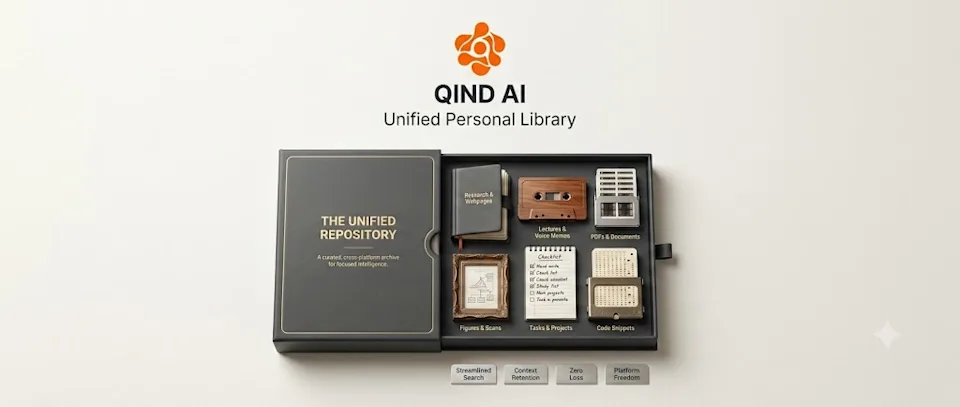
Stop keeping quick notes in one app, PDF research in another, and project bookmark links in yet another place. Choose a platform that brings all content formats together under one roof.
How Qind.ai Streamlines Your Academic Life
This is precisely why we designed Qind.ai.
Instead of juggling multiple tools during high-stress study sessions, Qind acts as your central academic brain. With the "Everything" view, you don't have to worry about where a specific piece of information was saved:
All Formats in One Feed: View your lecture voice notes, research link bookmarks, PDF excerpts, and personal study notes side-by-side.
Smart Organization: Effortlessly group research materials by project or course without losing track of individual sources.
Focus-Driven Interface: Reduce context switching so you can spend less time managing files and more time actually learning.